

Q I need to modify calendar profiles. How do I do that?
A scanEZ provides an easy way to see and modify any of the items/fields in the calendar profile (or any document for that matter) of a database. Here's how to modify a field value.
Before you begin:
This process assumes that you have already opened scanEZ on a database. See this simple tutorial to learn how to a given database with scanEZ.
Instructions
Display calendar profile information
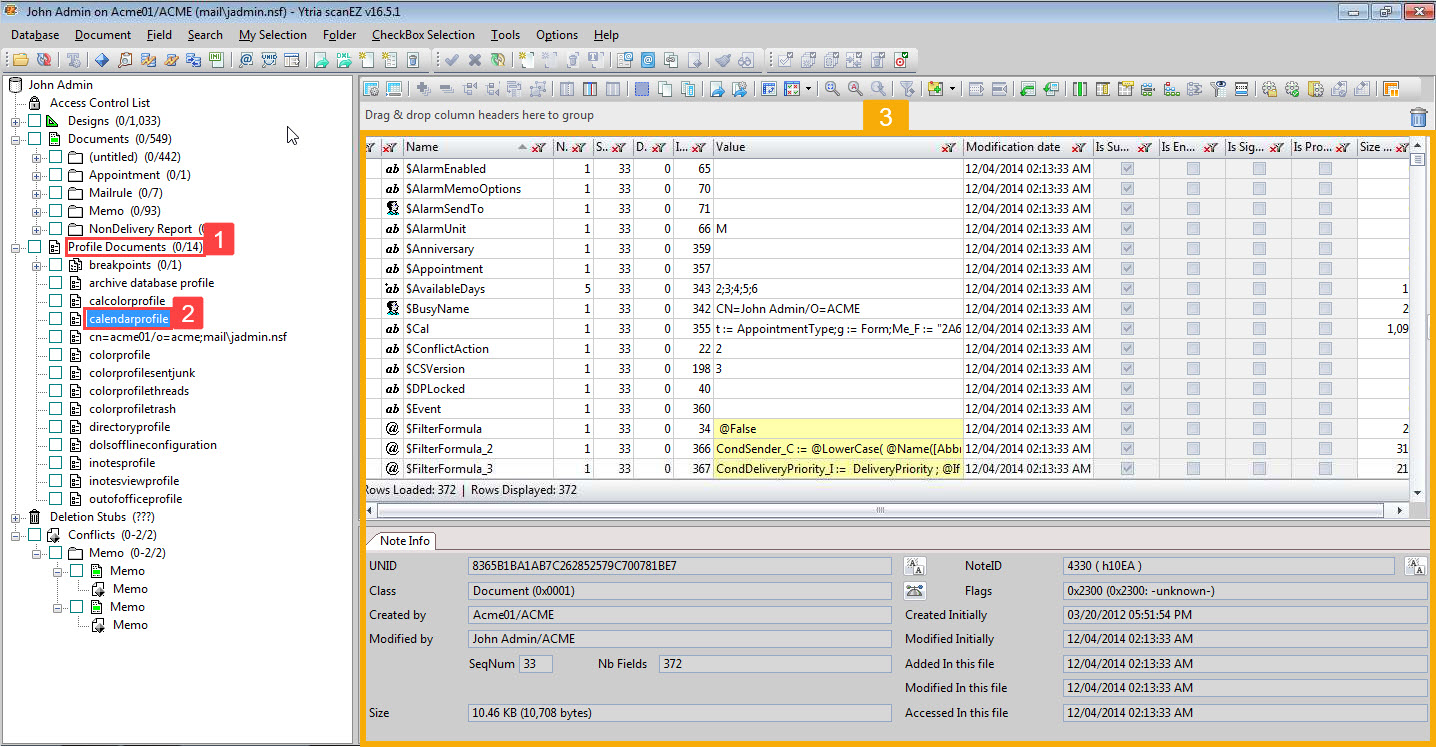
Step 1 In document/design tree (on the left-hand side of scanEZ's interface), find and click the tree node 'Profile Documents'. This will expand the category.
Step 2 Find and click 'calendarprofile', found within this category.
Step 3 All data (field values and properties) for the calendar profile of the current database is shown on the right half of scanEZ's interface.
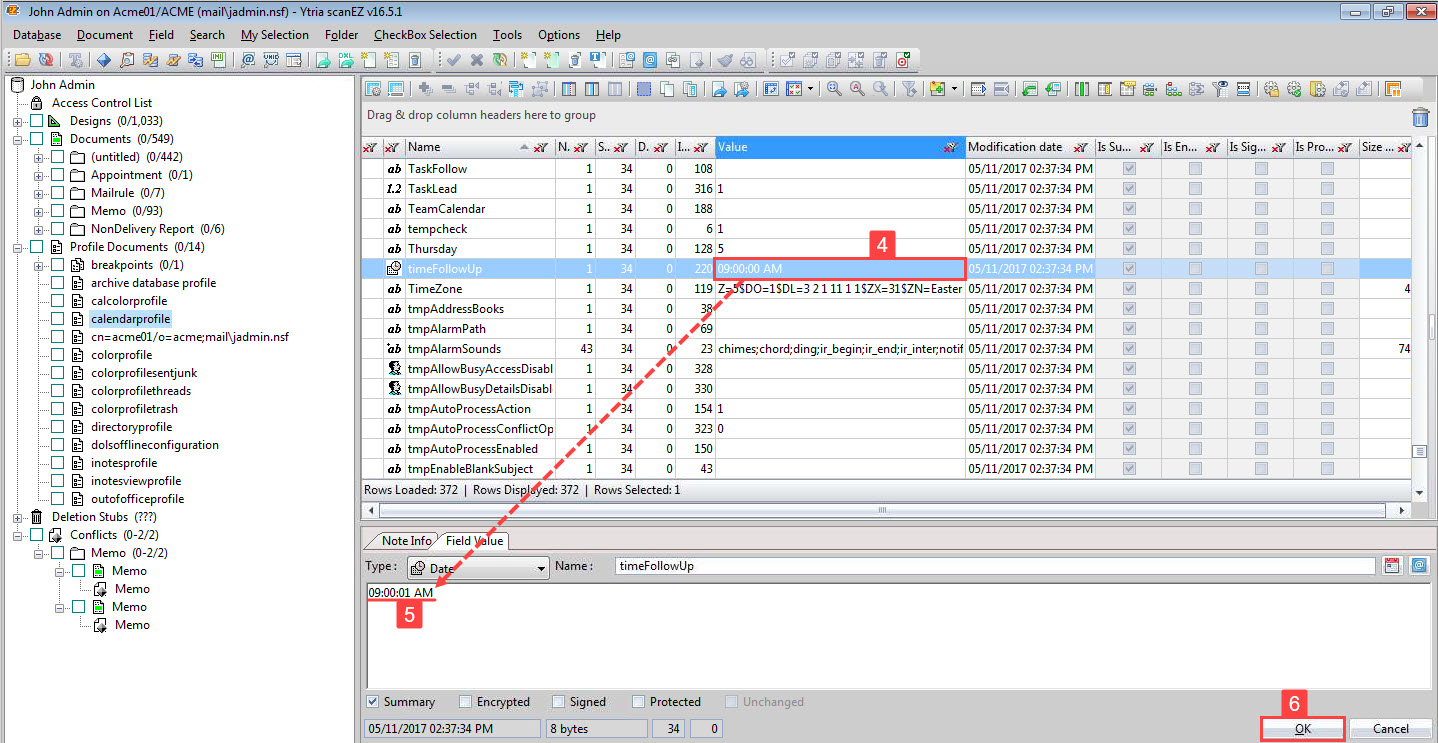
Step 4 In the main grid, click the item of your choice. In this example, we've chosen the item "timeFollowUp".
All item information is freely editable in the section below the grid.
Step 5 Edit the information as needed. Here, we are changing the value.
Step 6 Click 'OK'.
Your changes will not be applied yet.
Changing field values/properties
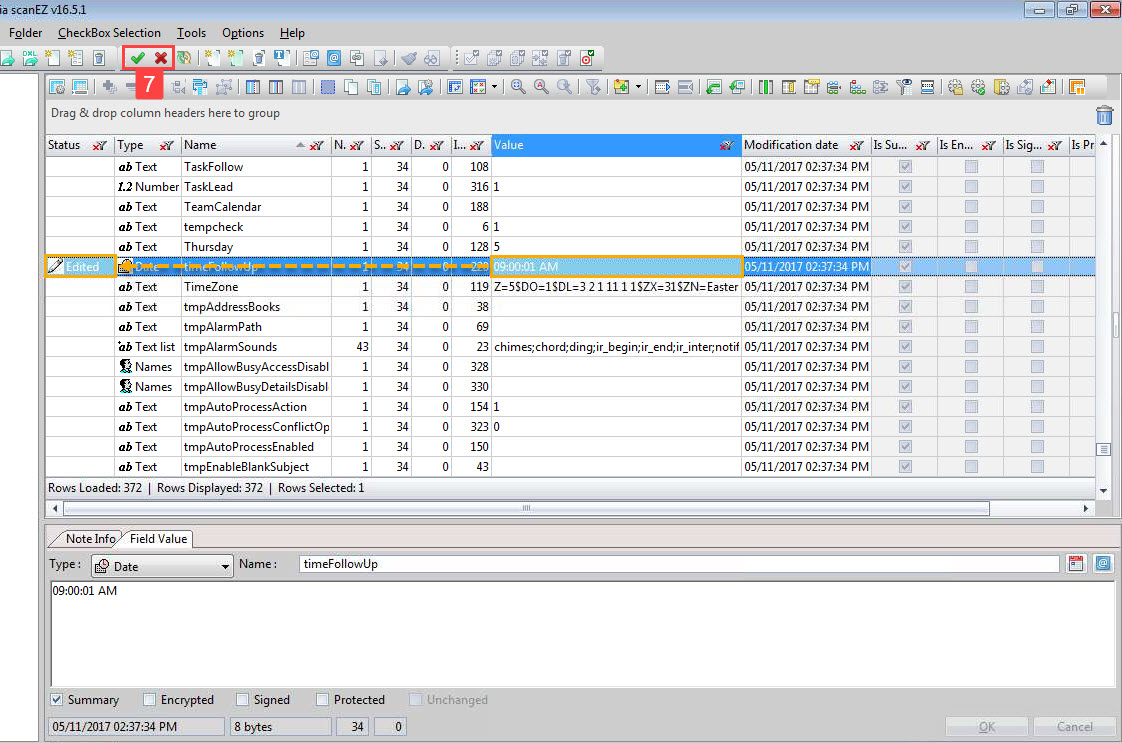
Note that the value now shows as changed within the grid, and the status marker shows as 'Edited'.
Step 7 Click the green check mark to fully apply your changes, or click the X to cancel.